How to Create a Virtual Tour and Plan Showings for Your Utah FSBO Home
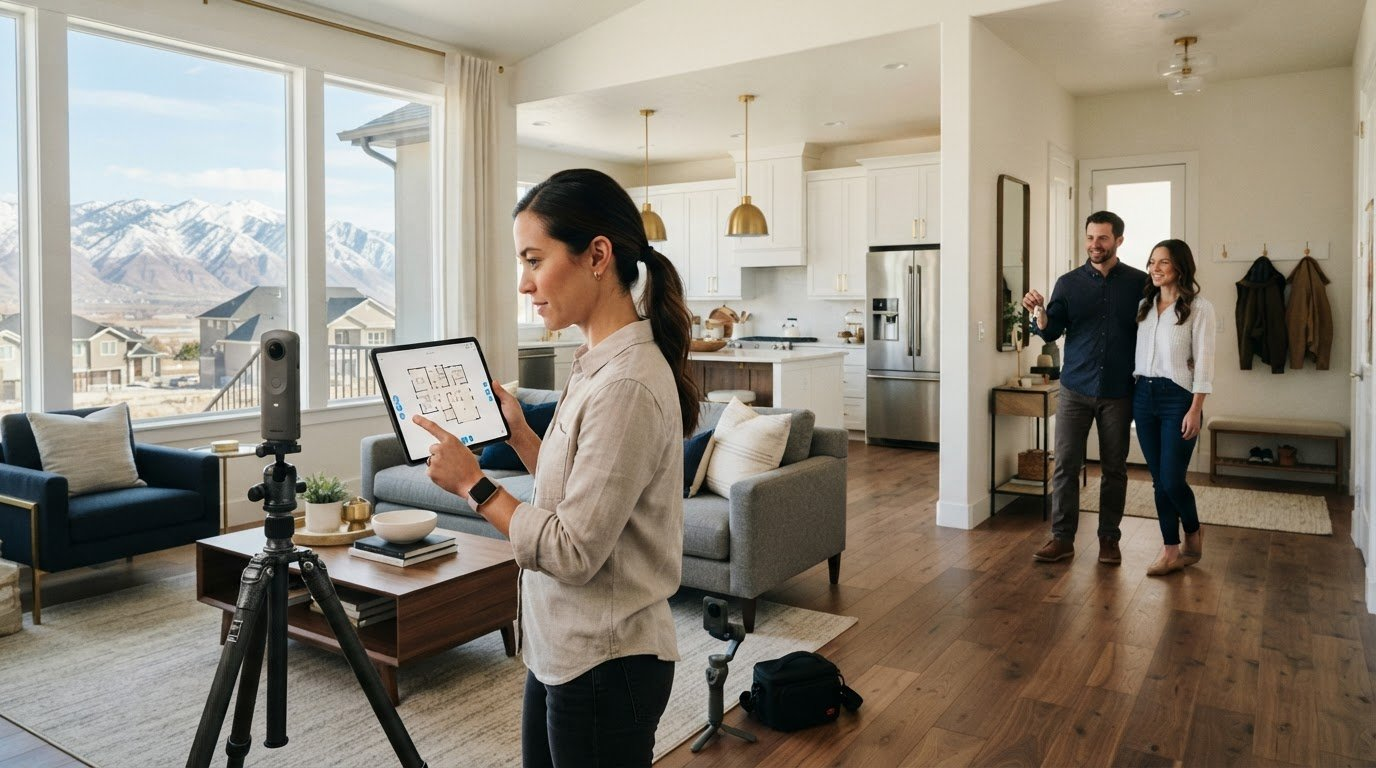

Choose a 3D or 360-degree tour when buyers need to understand the home’s layout; use a clear video walkthrough to show how rooms connect and highlight key features. A virtual tour for an FSBO listing in Utah works best when it accurately represents the home and is linked from its MLS listing.
It’s easy to assume a virtual tour for an FSBO listing in Utah replaces showings. It doesn’t. A clear tour helps buyers preview your property, while an in-person showing lets them experience it and ask focused questions.
This guide explains how to choose a tour format, prepare and film your home, and connect the finished tour with your listing. You’ll also learn how to coordinate showings, keep the tour accurate when the property changes, and manage the process while selling on your own. The goal is to help buyers arrive better prepared and avoid preventable snags.
Key Takeaways
- Choose a 360-degree tour, video walkthrough, or 3D experience based on how buyers need to understand your home’s rooms and layout.
- Prepare each space, plan a clear route through the home, and keep the finished tour accurate as the property changes.
- Use the tour to help buyers preview the home, then set clear arrangements for in-person visits and follow-up.
- Connect the tour to your MLS listing so buyers and agents can find it alongside the property details.
- Build a simple DIY setup with steady footage, useful room coverage, and a shareable tour link.
360-Degree photo tours, video walkthroughs, and 3D tours
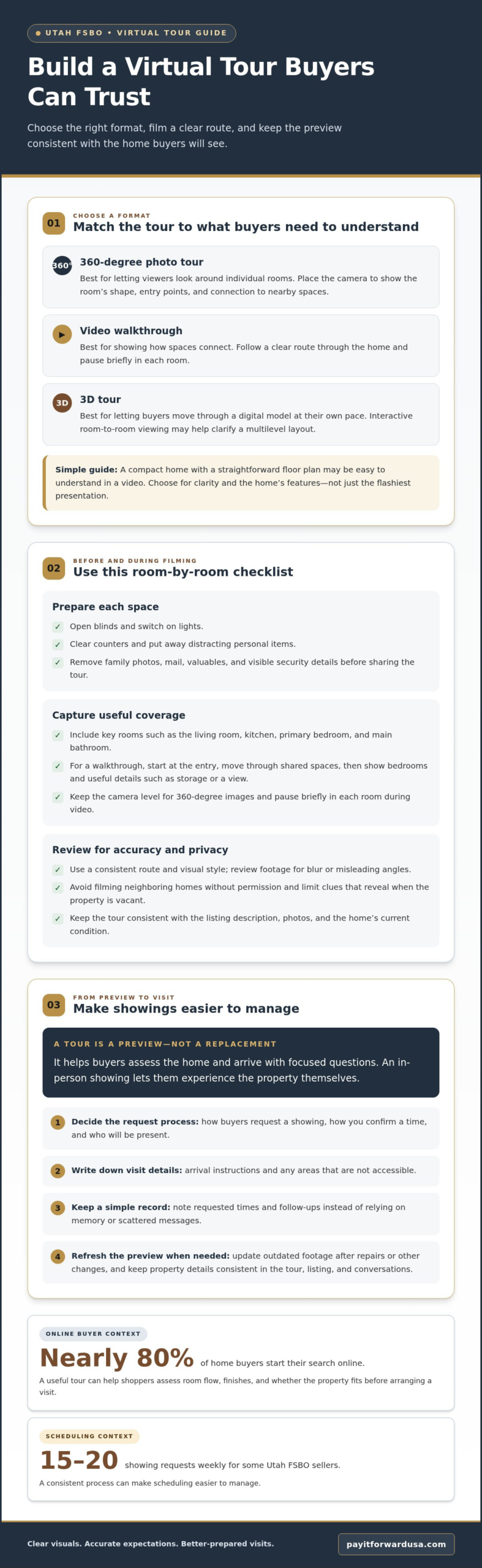
- Choose a format based on what buyers need to see. A 360-degree photo tour lets viewers look around individual rooms, while a video walkthrough shows how spaces connect. A 3D tour lets buyers move through a digital model at their own pace. For a virtual tour for an FSBO listing in Utah, choose the format that clarifies the home’s layout, not simply the one with the flashiest presentation.
- Use 360-degree images to cover key rooms. Place the camera where buyers can see the room’s shape, entry points, and connection to nearby spaces. A tour might include the living room, kitchen, primary bedroom, and main bathroom. Keep the camera level and remove distracting clutter from the frame.
- Film a video walkthrough with a clear route. Start at the entry, move through shared spaces, then show bedrooms and useful details such as storage or a view. Pause briefly in each room so viewers can take it in.
- Match the tour to the home and your marketing budget. Treat this as a guideline, not a rule for every property. Consider whether the home’s layout, finishes, or distinctive features benefit from an immersive presentation. A compact home with a straightforward floor plan may be easy to understand in a video, while a multilevel property may benefit from interactive room-to-room viewing.
- Prepare visuals that accurately represent the property. Before filming, open blinds, switch on lights, clear counters, and put away personal items that distract from the rooms. Capture each space from a position that shows its proportions, then review the footage for blurred details or misleading angles. Use a consistent route and visual style. Buyers can then compare the tour with the home during a showing, and the video and listing photos are less likely to give conflicting impressions.
Benefits of virtual tours for Utah FSBO sellers
- Give online shoppers a useful first look. Nearly 80% of home buyers start their search online. A virtual tour helps them assess room flow, finishes, and whether the property fits their needs before arranging a visit. Utah buyers often work with agents, so a clear tour also gives an agent useful details to share with a client. Show the entry, shared living spaces, bedrooms, and features that distinguish your home. Accurate visuals help buyers form realistic expectations.
- Use the tour to focus showing requests. Buyers who have already viewed the kitchen, bedrooms, and yard online can arrive with specific questions. That can make it easier to plan visits around genuine interest and explain property details efficiently. Treat the tour as a preview, not a substitute for seeing the home in person. Keep it consistent with the listing description, and update outdated footage after repairs or other changes.
- Keep commission decisions separate from marketing choices. Utah real estate commissions are negotiable. A virtual tour is a marketing tool, not a commission arrangement, so decide separately what listing support you want and which costs you’ll take on. Compare the services included in each arrangement and consider how the costs affect your expected proceeds. A tour can help present your home, but it does not determine the final sale price or guarantee savings.
- Handle disclosures alongside your visual marketing. Utah courts hold FSBO sellers to the same disclosure standards as realtors. A polished video doesn’t replace accurate written disclosures or the duty to describe the property honestly. Sellers of homes built before 1978 must provide buyers with a lead-based paint disclosure, according to the U.S. Environmental Protection Agency. Organize known property information before showings, and make sure statements in the tour match the home’s current condition.
- Use the tour to make your process more organized. Save the final video and note when it was recorded. If a repair changes something visible, update the tour or explain the completed work to buyers. Keep details about included fixtures, improvements, and known issues consistent across the listing, tour, and in-person conversations. This routine helps Utah FSBO sellers set clear expectations and avoid misunderstandings.
A one-week reduction in time on market is sometimes used as an example of how a virtual tour might justify its cost for a Utah FSBO seller, but results vary.
Virtual tours and in-person showings
Before sharing a tour, remove family photos, mail, valuables, and visible security details. Avoid filming neighboring homes without permission, and limit clues that reveal when the property is vacant.
- Use the tour to set expectations before offering visits. Show the rooms buyers will see in person, including the entry, kitchen, bedrooms, and outdoor areas. A buyer who notices a narrow hallway or split-level layout online can decide whether the home suits their needs before scheduling. Keep the description factual, and don’t use camera angles that disguise room size or condition. The preview should match the home buyers will visit.
- Set a clear process for handling requests. Choose how buyers will request a showing, how you’ll confirm a time, and who will be present. Write down the arrival instructions and any areas that aren’t accessible. Some Utah FSBO sellers receive 15-20 showing requests weekly, so a consistent process can make scheduling easier to manage. Keep a simple record of requested times and follow-ups, rather than relying on memory or scattered messages.
- Prepare the home again before every appointment. Daily life can change the scene after you film a clean, carefully arranged room. Before each visit, clear counters, put away personal items, secure pets, and make sure paths are easy to walk through. Check that the lights work and that rooms shown online remain accessible. If repairs changed a feature shown in the video, update the tour or explain the work during the showing.
- Protect privacy during both filming and access. Remove documents, family schedules, children’s names, and identifying details from view before recording. Don’t show alarm panels, access codes, or where keys are kept. During an in-person visit, secure medicines, jewelry, financial papers, and spare keys. For example, frame a home office to show its size without capturing paperwork on the desk. These steps reduce unnecessary exposure while buyers evaluate the property.
- Use each visit to answer questions the tour can’t settle. Invite buyers to assess room flow, storage, natural light, and how the home feels at a normal walking pace. Answer questions consistently with the listing and disclosures. If a feature needs context, such as an appliance that stays or a repair completed after filming, explain it plainly. Afterward, note buyers’ questions and update the tour or listing if a recurring point needs clarification.
Adding a virtual tour to an MLS listing
- Decide how your Utah FSBO listing will reach the MLS. You can enter your own listing or use a flat-fee broker to list your property and include a video walkthrough link. Choose the approach that fits how you want to manage the sale. If you handle the MLS entry, prepare the property details and tour link together. With Pay It Forward Realty’s flat-fee MLS listing service, provide the finished tour link to connect it with your property information.
- Prepare a shareable tour link before entering listing details. Copy the public viewing link from the platform hosting your video or tour. Open it on another device and confirm it loads and plays without requiring an account login. For example, test the link on a phone after creating it on a computer. This catches access problems before buyers, neighbors, or brokers encounter the listing.
- Place the link where viewers can find it. Use the MLS listing form’s virtual-tour or video-link field when available. Give the tour a clear title, such as “Living room to kitchen walkthrough,” rather than a vague label. If the form allows links in a remarks field, follow its instructions and keep the property description readable. A visible, accurately labeled link helps buyers connect the tour with the right Utah home.
- Review the listing as a buyer would. Preview the published MLS entry and follow the tour link from the listing itself. Check that the video shows the advertised home, opens correctly, and doesn’t include footage of neighboring homes filmed without permission. Compare the tour with the room descriptions, photos, and property details. If the MLS entry points to an old or incorrect tour, replace the link so buyers and brokers see the right version.
- Keep the MLS entry and tour aligned after changes. If repairs alter a visible feature, update the tour or disclose the recent work, then review the listing link again. For example, if the walkthrough shows an older fixture that has since been replaced, refresh the footage or make the change clear to buyers. Keep one current tour link in your listing materials and use it consistently when sharing the property with buyers and real estate brokers.
DIY virtual tour tools and setup
For Zillow and Realtor.com, use a tour platform that creates a public, shareable link, then add the link through your MLS listing’s virtual-tour or video field. Portal display depends on how listing information and media flow from the MLS, so hosting a tour separately doesn’t automatically attach it to either portal.
Include the entry, main living areas, kitchen, bedrooms, bathrooms, and outdoor spaces. Show how rooms connect, and keep the footage consistent with the home’s current condition.
- Choose a tool that fits your tour format. For a straightforward walkthrough, a smartphone camera and basic editing app can capture and trim video. For interactive room views, use a 360-degree camera with software that turns images into a navigable tour. Before filming, confirm the platform can generate a link viewers can open without signing into your account. Compare the finished tour on a phone and computer.
- Prepare the property and camera route. Clear counters, put away personal documents, open blinds, and turn on lights before recording. Plan one route, such as entry, living room, kitchen, bedrooms, then yard. Hold the phone steady at a consistent height, and pause at doorways so viewers can understand the transition. Avoid quick pans that make a room difficult to assess.
- Capture the features buyers need to evaluate. Show each room from an angle that reveals its shape and access points. Include practical details such as pantry storage, laundry space, a garage entrance, or a covered patio. If the tour shows a repair or replaced fixture, make sure the footage reflects the home’s current condition. Don’t label a measurement as professionally verified unless a licensed professional measured it.
- Edit for clarity, not drama. Trim pauses, shaky starts, and repeated footage. Keep the order easy to follow, and use simple labels such as “Kitchen” or “Upstairs bedroom.” Avoid filters or wide-angle effects that distort room proportions. Review the final version alongside your listing photos and description. If the video shows an older appliance, update the footage or explain the change clearly.
- Test the share link and connect it to the listing. Open the link in a private browser window to confirm access without your login. Then add it to the appropriate MLS media field, or provide it to the broker handling the MLS entry. Preview the published listing and follow the link from there. Explore flat-fee MLS listing options if you want support getting your tour connected to an MLS listing.
Use a virtual tour platform that creates a public, shareable link viewers can open without signing in, and that link can be added to the MLS listing’s virtual-tour or video field. The section does not identify specific platforms.
Pay It Forward Realty LLC
Pay It Forward Realty LLC offers Utah homeowners flat-fee MLS listing options, a practical next step when your tour is ready and you want the property listed. Choose among the Affordable Package, Affordable Plus Package, and Monthly Listing Plan based on the listing option that fits your selling approach. An MLS listing can connect your property details and virtual tour for buyers and agents to review.
Prefer to buy instead? The right option depends on whether you’re selling your home or purchasing one. Keep your tour accurate, prepare your listing details, and decide how much MLS listing support you want before moving forward.
Visit Pay It Forward Realty LLC to explore your next step.
Turn Your Tour Into a Clear Next Step
Your next move is to make the tour part of a consistent selling plan. Choose one current version, keep it aligned with your property details, and use the same link wherever buyers encounter your listing. A virtual tour for your Utah FSBO listing can then support your next decisions instead of becoming a separate task to manage.
If you’re ready to connect your home with an MLS listing, Pay It Forward Realty LLC offers options including the Affordable Package, Monthly Listing Plan, and Affordable Plus Package. Consider the kind of listing support that fits your approach, then take the next step at your pace.
Contact Pay It Forward Realty LLC to explore your listing options. You’ve done the work to present your home clearly. Now move forward with a plan that keeps you in control.
Frequently Asked Questions
What virtual tour options are available for FSBO homes in Utah?
Utah FSBO sellers can use 360-degree photo tours, video walkthroughs, or interactive 3D tours. A video works well for showing how rooms connect, while 360-degree images let viewers look around specific spaces. A 3D model offers a more navigable view. Choose based on the home’s layout and the details buyers need to assess remotely, then make sure the format produces a shareable link.
How much does a virtual tour cost for a Utah home listing?
Costs depend on the format and production approach. Compare what each option produces: a standalone video, interactive room views, or still photographs. A DIY recording changes the production approach, while equipment and editing affect the final expense.
How do I create a 3D virtual tour for a for-sale-by-owner listing?
Use a 3D capture tool, such as Matterport, to create an interactive model of the property. Prepare the rooms, capture each area according to the tool’s process, then review the model for gaps or confusing transitions. Generate a shareable viewing link and test it in a private browser window. Before publishing, compare the model with your listing details and update it if visible features have changed.
Can FSBO sellers in Utah post virtual tours on the MLS without a listing agent?
Yes. Depending on how the listing is handled, an FSBO seller may need to arrange MLS entry and add the video link through the available listing process. If you handle the entry yourself, use the MLS media or virtual-tour field available in the listing form. If a broker handles the entry, provide the tour link and property details. Review the published listing afterward to ensure the link opens correctly.
What are Utah MLS rules for virtual tour links and listing media?
Use the MLS listing form’s designated virtual-tour or video field, and follow the media instructions shown for that entry. The tour should accurately represent the home and shouldn’t include neighboring homes filmed without permission. After publishing, open the listing as a viewer and test its link. Portal display can depend on how the MLS shares listing media, so confirm the tour appears with the published property information.
Do virtual tours help homes sell faster or for more in Utah?
A virtual tour helps buyers review a home before deciding whether to visit, but it doesn’t set the sale price or guarantee a faster sale. A one-week reduction in time on market is sometimes used to illustrate potential value, not a guaranteed outcome. Pricing, condition, buyer demand, and how clearly the listing presents the property all affect the sale. Use the tour to improve the information buyers can assess remotely.